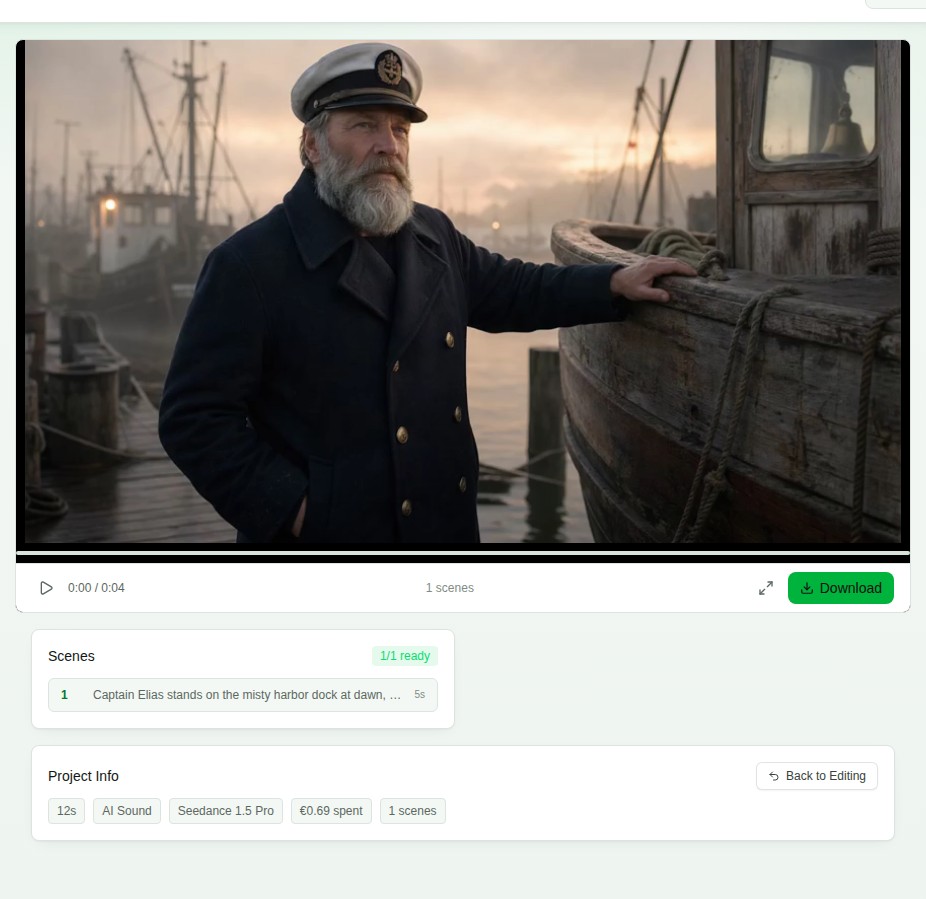
How this 1-minute AI film was made
The film below was generated end to end on EpicVids: one fisherman who stays the same man in every scene, six scenes with real cuts, spoken lines, and a coastal soundscape that runs the full minute. The steps below are the exact flow in today's Studio, screen by screen, with real screenshots. The same steps work for any story and any length.
60 seconds, six scenes, one consistent character who speaks. Generated on EpicVids.
- 1
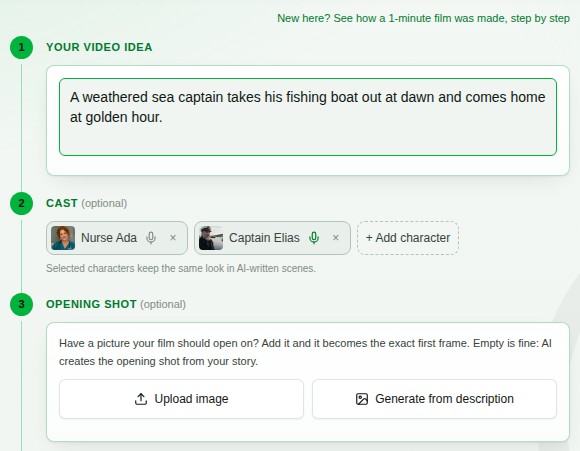
Start with your idea
The Studio opens on one screen, in the order a director works. Type one sentence of story in the idea box and the AI turns it into scene prompts you can edit before anything generates. Prefer full control? Tick "I write the scene prompts myself" at the bottom; this film's six scenes were hand-written, one line of story each, from untying the boat at dawn to coming home in golden light. Have a picture the film should open on? Add it as the optional Opening Shot; left empty, the AI creates the opening shot from your story.
- 2
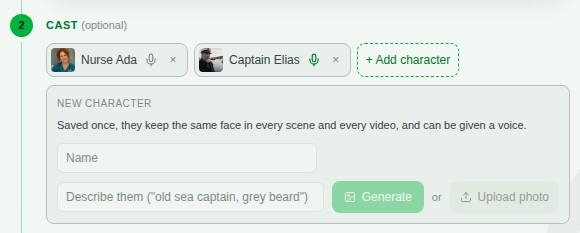
Save your character once
Below your idea, the Cast section stores a character from a single image: type a name, then upload a photo, or describe the character and generate their image with AI right there. Selecting the character anchors every scene to that image, so the same face, beard, hat, and coat carry through the whole film, and if you generate an opening shot, your selected cast appears in it.
- 3
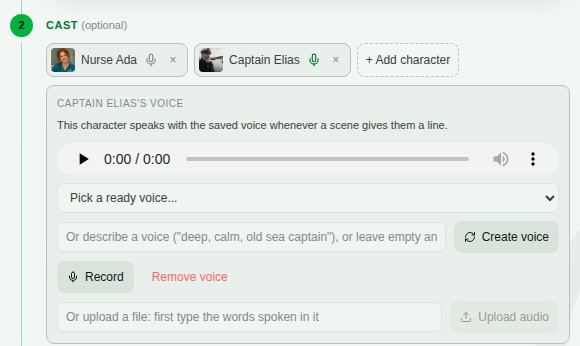
Give them a voice
Click the microphone on the character. Pick one of ten ready voices with a preview, describe a voice in a few words and let the AI create it (leave the field empty and it invents one to fit the character), or record or upload your own. Whichever you save, the character speaks every line in that same voice, in every scene and every video.
- 4
Check the scene, the dialogue, and the length before paying
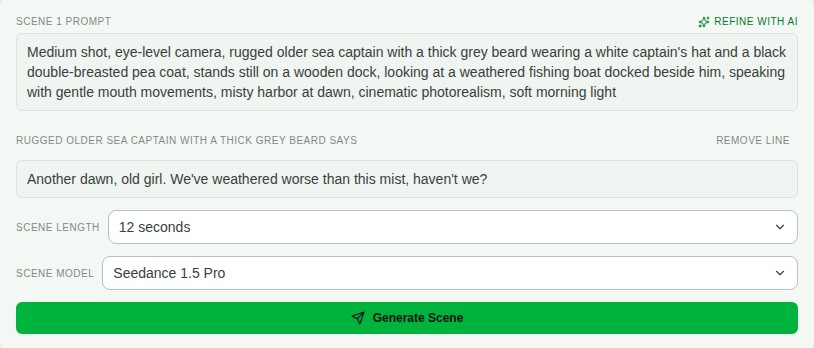
Every scene shows its full prompt and, when your character speaks, the exact line under their name. Both are editable, and the line can be removed with one click. Scene length is yours too: a short 4-second beat or a long 12-second take, like real film editing. Nothing generates and nothing is charged until you press Generate Scene.
- 5
Review each scene, approve or retry
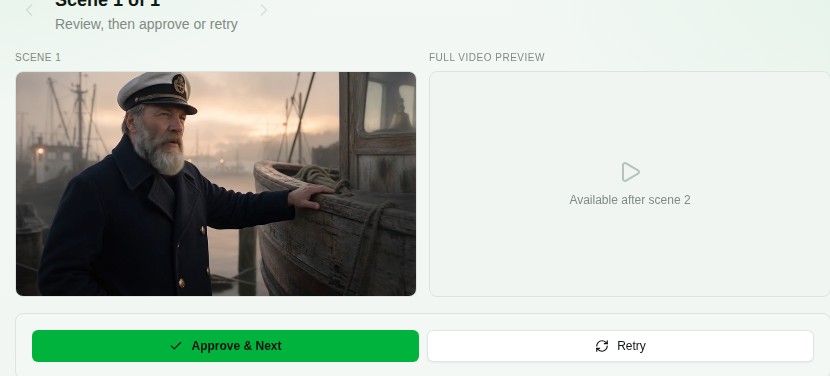
Generation runs on our servers, so you can close the tab and come back (you get a notification when a scene is waiting). Each scene parks for your review: approve it, or retry with a tweak. Opening frames regenerate from your cast photo, which is what keeps the character on-model across cuts.
- 6
Finish: stitching is automatic
When the last scene is approved, one click combines everything server-side and the final video is ready to watch and download. Scenes where your character speaks last exactly as long as the line and are billed for those seconds only, with the voice, moving lips, and background sound included.